




 Send Inquiry
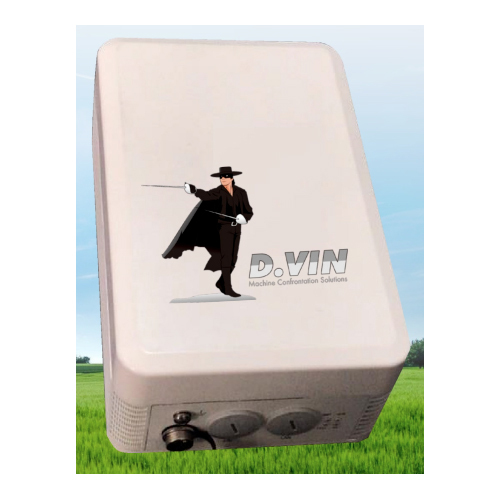
SAS SMS Promotion
SAS SMS Promotion Specification
- Weight
- Approx. 350 g
- IP Routing
- Supported
- Device Type
- SMS Promotion Device
- Frequency
- 800/900/1800/1900 MHz
- Antenna
- External Detachable Antenna
- Port
- 1 SIM Slot
- Operating Temperature
- 0°C to 45°C
- Dimension (L*W*H)
- 148 mm x 105 mm x 32 mm
- Usage & Applications
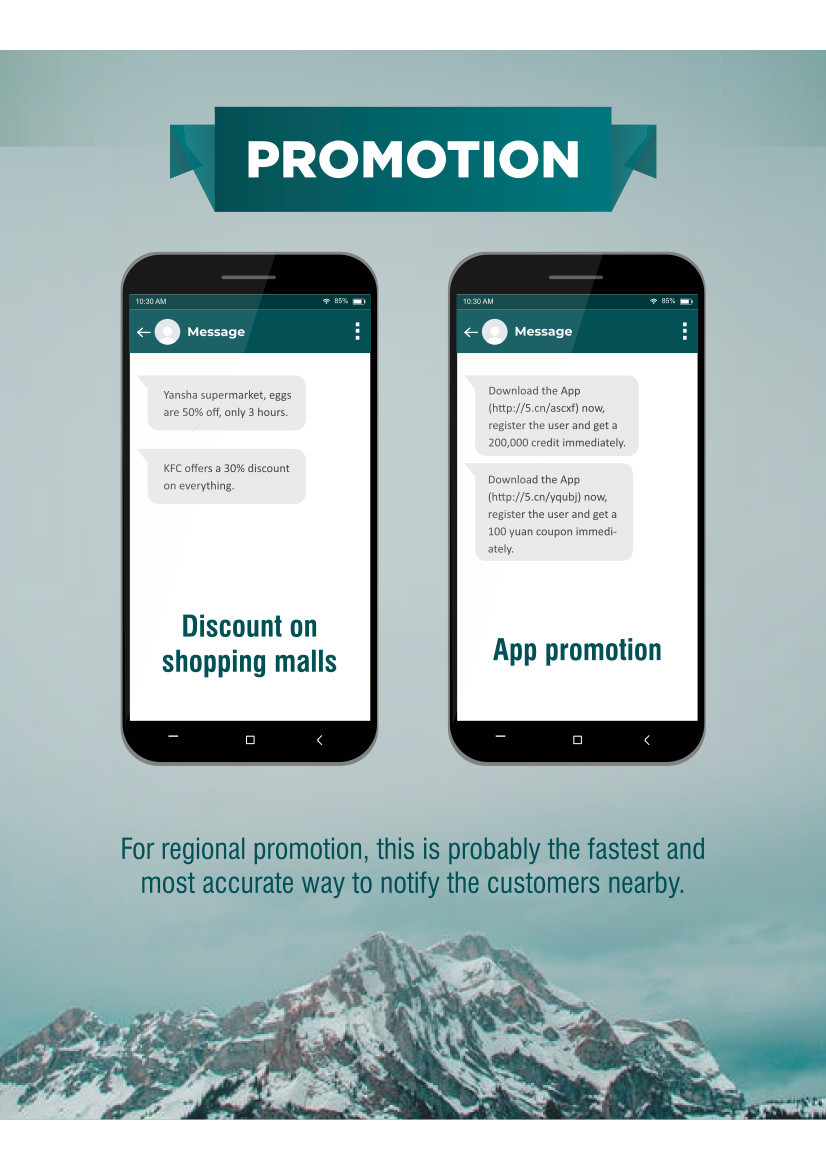
- Bulk SMS marketing, promotional messages
- Features
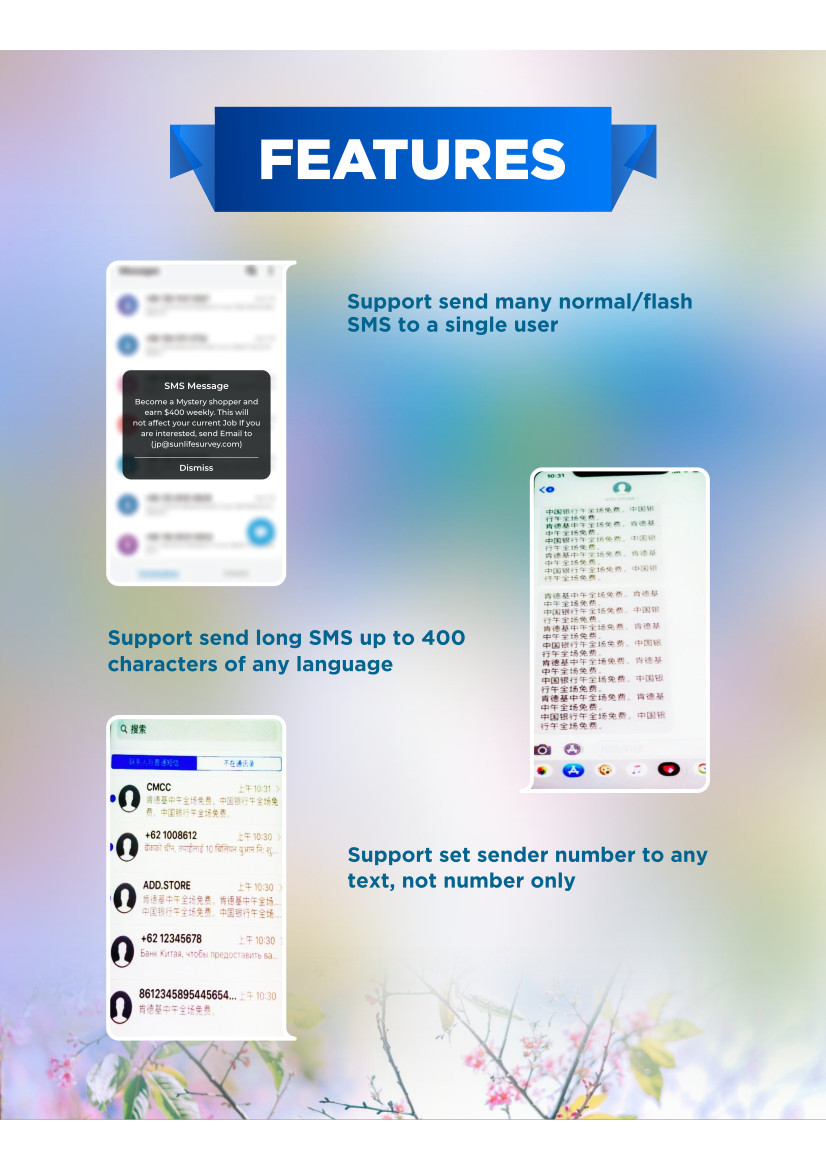
- User-friendly software, plug & play, high speed SMS sending
- Interface Type
- USB
- Power Supply
- 220V AC
- Remote Control
- Yes
- Power Consumption
- Low
- Number Of Ports/Pins
- 1 Port
- Connectivity Type
- GSM
- Compatibility
- Windows OS Supported
- LED Indicators
- Power and Status
- SIM Capacity
- 1 SIM
- Data Transmission
- GPRS, EDGE supported
- Display
- No Display
- Supported Languages
- English and Regional Languages
- Color
- White
- Material
- ABS Plastic Housing
- SMS Sending Rate
- Up to 16 SMS per minute
About SAS SMS Promotion
Keywords:
bulk SMS boardcaster, bulk SMS sender, advertise sender, advertise boardcaster, marketing tool
Features:
Push Ad to phones nearby via SMS without any cost.
Video:
Manual:
Streamline Your SMS Marketing
Reach your target audience effectively with the SAS SMS Promotion Device. Designed for bulk SMS campaigns, this device allows you to send promotional messages rapidly and reliably. With compatibility for regional languages and an easy-to-use interface, its ideal for businesses looking to expand their marketing efforts effortlessly.
Plug & Play Convenience
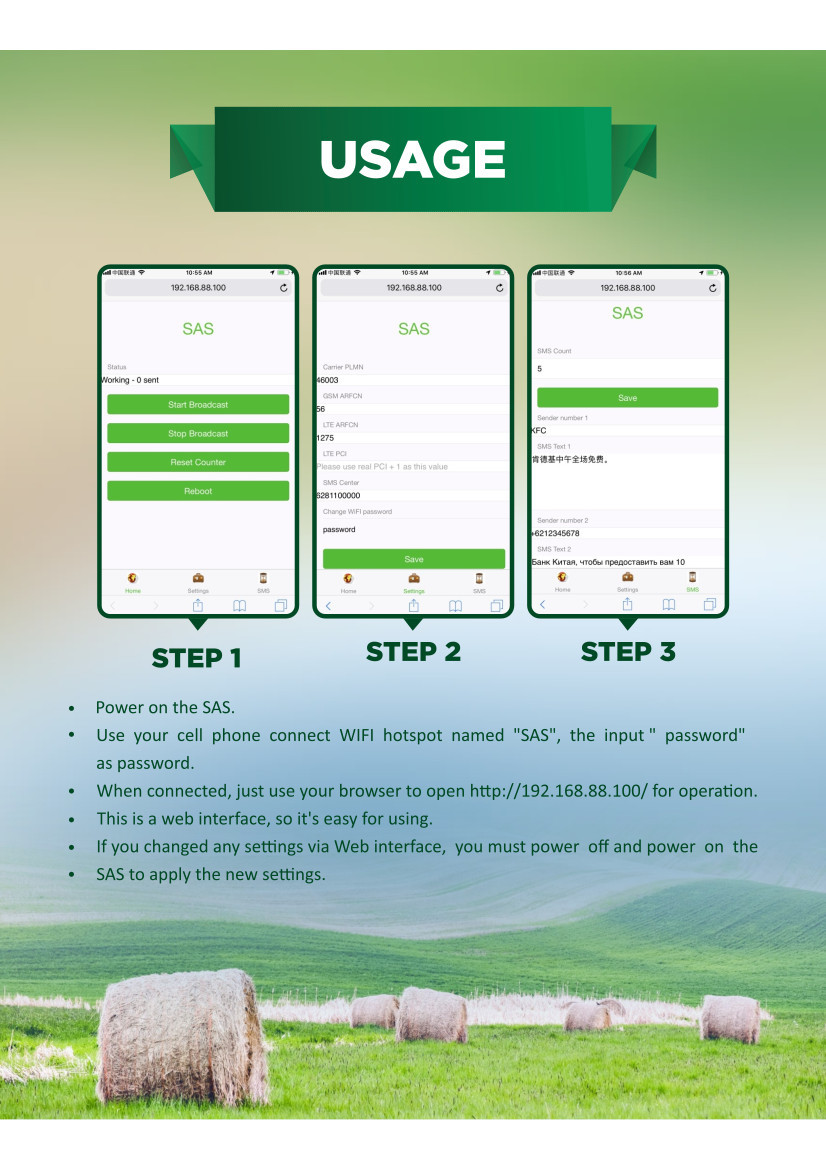
Getting started is simple: connect the device via USB to your Windows PC, insert your SIM card, and youre ready to send SMS campaigns. The plug-and-play operation and user-friendly software eliminate complex setups, ensuring that even first-time users can launch successful marketing campaigns quickly.
Durable Design & Reliable Performance
Housed in robust ABS plastic, the SAS SMS Promotion Device resists daily wear while maintaining low power consumption. Its detachable external antenna and power/status LED indicators guarantee consistent performance and communication clarity throughout your marketing operations.
FAQs of SAS SMS Promotion:
Q: How do I set up the SAS SMS Promotion Device for the first time?
A: Begin by connecting the device to your Windows PC via USB, insert a compatible SIM card into the slot, connect the AC power supply (220V), and follow the software installation prompts. The intuitive interface guides you through configuration, helping you start your SMS promotions within minutes.Q: What types of messages can this device send, and in which languages?
A: The SAS SMS Promotion Device can send a variety of messages such as bulk SMS marketing, promotional texts, and notifications. It supports English as well as several regional languages, making it ideal for reaching diverse audiences across Mexico.Q: When is the device best utilized for marketing campaigns?
A: It is most effective during peak user engagement times, such as business hours or targeted promotional windows. Its rapid SMS sending rate (up to 16 SMS per minute) ensures timely delivery of your campaigns when your audience is most likely to respond.Q: Where is this device typically used?
A: The device is suitable for small and medium businesses, marketing agencies, or corporate offices in need of a streamlined SMS marketing solution. Its compact design allows installation in any workspace with access to power and a Windows-based computer.Q: What is the process for sending bulk SMS using this device?
A: After installation, simply use the provided software to compose your message, upload your contact list, and press send. The device manages message distribution, sending up to 16 messages per minute, and provides delivery status feedback via LED indicators.Q: How does the SAS SMS Promotion Device benefit my business?
A: By automating and accelerating your SMS marketing, the device helps you reach more customers efficiently. Its plug & play setup saves time, while compatibility with regional languages expands your potential market, leading to improved promotional reach and engagement.Q: Can I monitor the device remotely, and what indicators does it provide?
A: Yes, remote control is supported for convenient management. The LED indicators display power and operational status, assisting with quick diagnostics and ensuring smooth and uninterrupted bulk SMS delivery.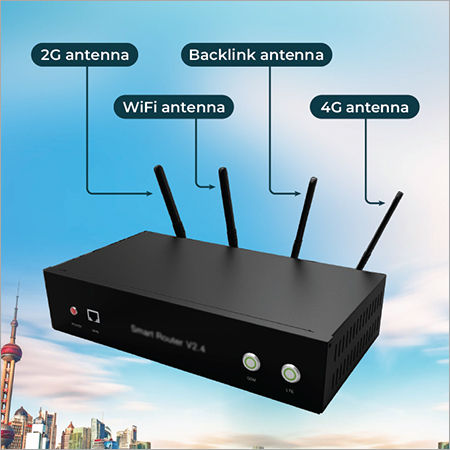

Tell us about your requirement

Price:
Quantity
Select Unit
- 50
- 100
- 200
- 250
- 500
- 1000+
Additional detail
Mobile number
Email


Quick Inquiry



Contact Details
ISMALLCELL.BIZ
3rd floor, J & C Building,Mexico Distrito Federal, Mexico
Phone :52-55-84213488
 Send Inquiry
 |
ISMALLCELL.BIZ
All Rights Reserved.(Terms of Use) Developed and Managed by Infocom Network Private Limited. |
